
My Wealthy Affiliate Review: Does the Unified AI Platform Actually Save Time?

Affiliate Disclosure: This post contains affiliate links. If you purchase through one of my links, I may earn a commission at no additional cost to you. Read the full Affiliate Disclosure for details.
Most beginner side hustlers don’t quit because they ran out of ideas. They quit because the workflow eats their evenings alive. You open the laptop on a Tuesday night with a hosting tab, a keyword tool, an AI writer trial, a half-built spreadsheet, and a Canva tab for the featured image you still haven’t designed. By the time you’ve clawed back to the actual draft, forty minutes are gone, and most of the motivation went with them.
That technical overwhelm is where most beginner businesses quietly die. If you’ve landed on this Wealthy Affiliate review, you’re trying to figure out whether one unified platform can finally replace the software stack nightmare you’re currently living. That’s the right question, and it deserves a real answer.
What follows is an honest look at whether it actually solves that problem: the unified dashboard, the real pricing, what the AI tools can and cannot do, and a straight answer on who should walk away from this platform entirely.
TL;DR: Wealthy Affiliate Review
Who The Platform Fits Best (And Who Will Hate It)
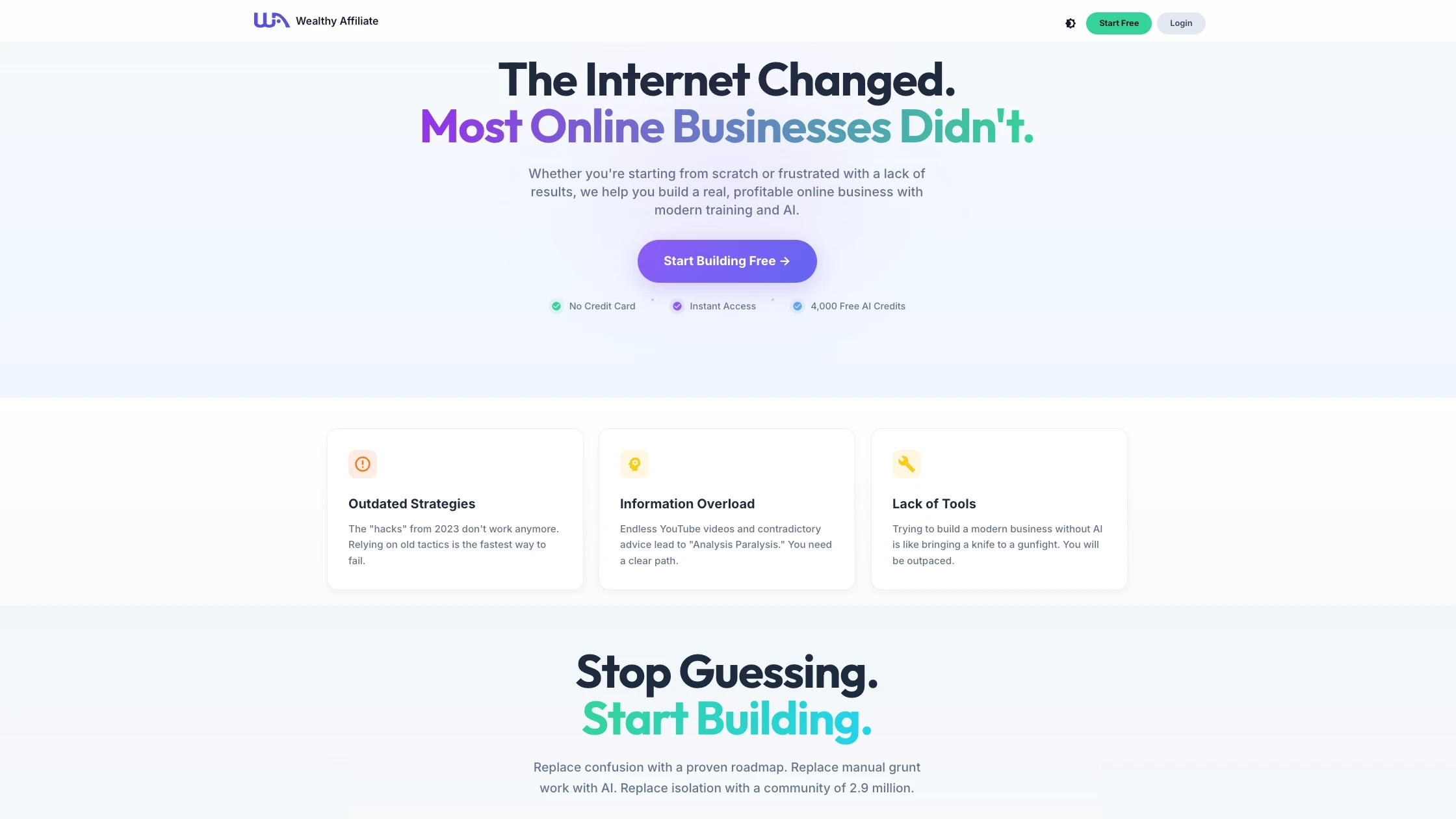
The platform is built for the overwhelmed beginner and the side-hustler with five to ten hours a week. If you’re carrying a day job, a family, and a pile of half-finished post ideas, the appeal is obvious. One login, one workspace, one place where the research, the writing, the design, and the publishing all live together. One login handles everything. The research, the writing, the hosting, and the design all live in the same place.
It’s the wrong fit for three groups, and saying so upfront saves everyone time. Advanced developers who want root access to their server will find the managed hosting too constrained. Anyone hunting for a get-rich-quick funnel will be disappointed because the platform is honest about timelines. And marketers who refuse to manually edit AI output will produce thin, generic content that won’t rank, no matter what platform produced it.
I have a particular reason for caring about who this platform fits. When I first tried to make affiliate marketing work, I made the mistake almost every scared, impatient beginner makes. I poured money into paid traffic before I had a working funnel underneath it.
The campaigns burned through cash fast, the conversions were brutal, and I learned the expensive way that without a structured system underneath you, every dollar you spend is a dollar you’re gambling with. Structural safety isn’t a luxury when you’re starting out. It’s the only thing that lets you make mistakes cheaply enough to learn from them.
Breaking Down The Ecosystem: What Is Actually Inside?
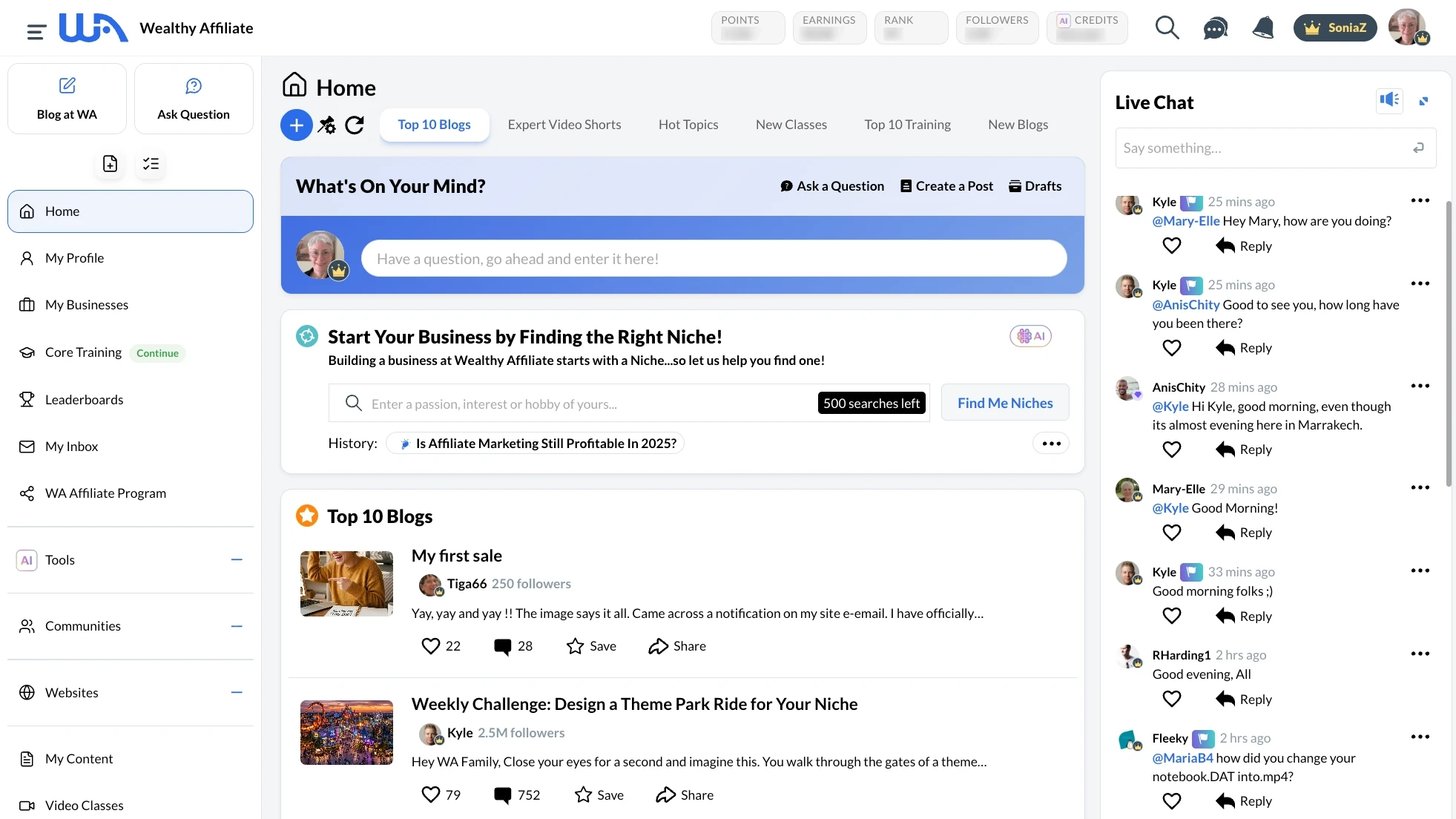
Most affiliate platforms are really just a course wearing a dashboard. Wealthy Affiliate is structured the other way around. The training matters, but it sits inside a working command center where the actual job of building, researching, and publishing assets happens. That distinction changes everything about how you spend your evenings.
The core pillars are Business Hubs (project management for each site you build), AI Research (the integrated keyword and intent tool), and Content Design (AI Article Designer, ImageStudio, and DsgnPop).
Alongside those sits managed WordPress Hosting on the platform’s servers and a structured Training library with weekly live classes. Each pillar talks to the others natively.
Cluster keywords in the research tool, and those clusters flow straight into your Hub. Draft a post in the AI Article Designer, and your hosted site is one click away. The handoffs between tools, where most beginner workflows die, simply aren’t there.
The hosting deserves a specific note. It’s managed WordPress, which means you don’t touch server settings, security plugins, or caching layers (the invisible background software that makes your site load instantly for visitors).
For someone who has been trying to figure out setting up WordPress without coding, having that whole layer handled is significant. You also can’t deeply customize the server, so if you wanted to run a complex membership site with custom backend logic (like entirely custom user databases), you would outgrow the hosting tier eventually.
If you want to see how the integrated workspace actually feels in practice, you can explore the free test environment without putting in a card.
Business Hubs And AI Research: Removing The Blank Page
For most beginners working a part-time schedule, the blank page isn’t a creativity problem. It’s a direction problem.
You sit down, you don’t know which keyword to chase, you don’t know whether the topic has any commercial intent, and forty minutes later, you’ve researched five competing posts and written nothing. Business Hubs are designed to make that paralysis structurally impossible.
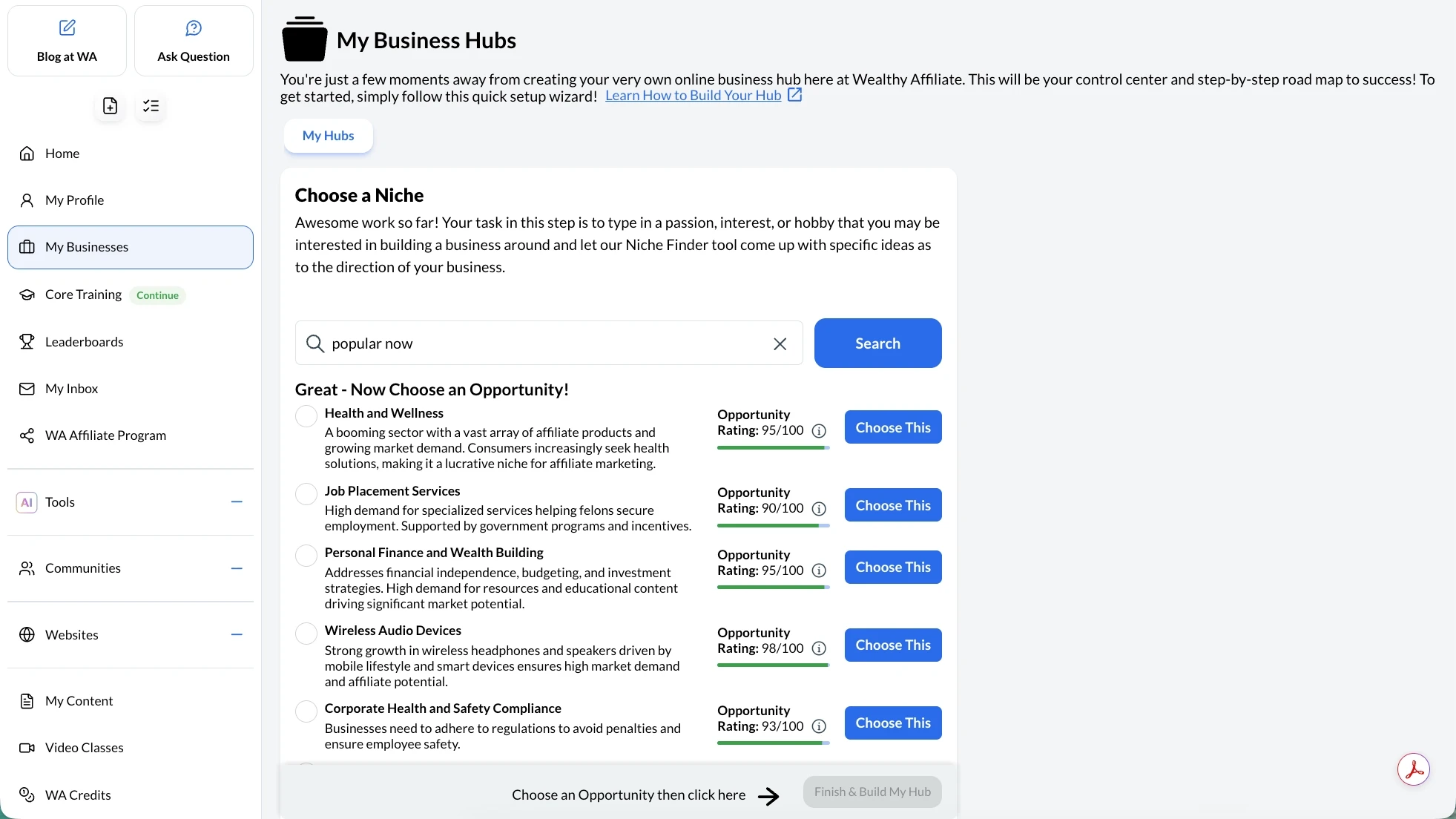
Each Hub is a project workspace for a single site. Inside the Hub, you build a niche profile, plan content clusters, and watch the AI Research tool surface keyword opportunities that map to your audience’s actual problems.
The clustering logic groups keywords by search intent rather than only by topic, which is the difference between a content plan that ranks and a content plan that wanders. If search intent still feels fuzzy, the tool teaches it to you in real time as you build.
For niche selection, the Hub structure makes the choice less paralyzing. You can run several niche concepts in parallel as research projects before committing, which is much closer to how a real strategist would test ideas. With only ten hours a week, limit your parallel niche testing to three concepts maximum.
Running too many research hubs simultaneously will scatter your limited focus before you ever publish a single word. If you want a deeper walk through the decision process before opening any platform tool, how to choose a profitable niche covers the framework I work through every time.
AI Article Designer And ImageStudio: Visuals Without The Friction
The AI Article Designer is the drafting engine, and the most important thing to understand is what it actually produces. It builds search-engine-optimized outlines and structured drafts, not just text walls.
You give it a keyword and a target reader, and it generates a section structure, a TL;DR, suggested H2s (the main subheadings used to break up text on a webpage) with reasoning, and a draft you can edit. That changes what “starting” a post even looks like.
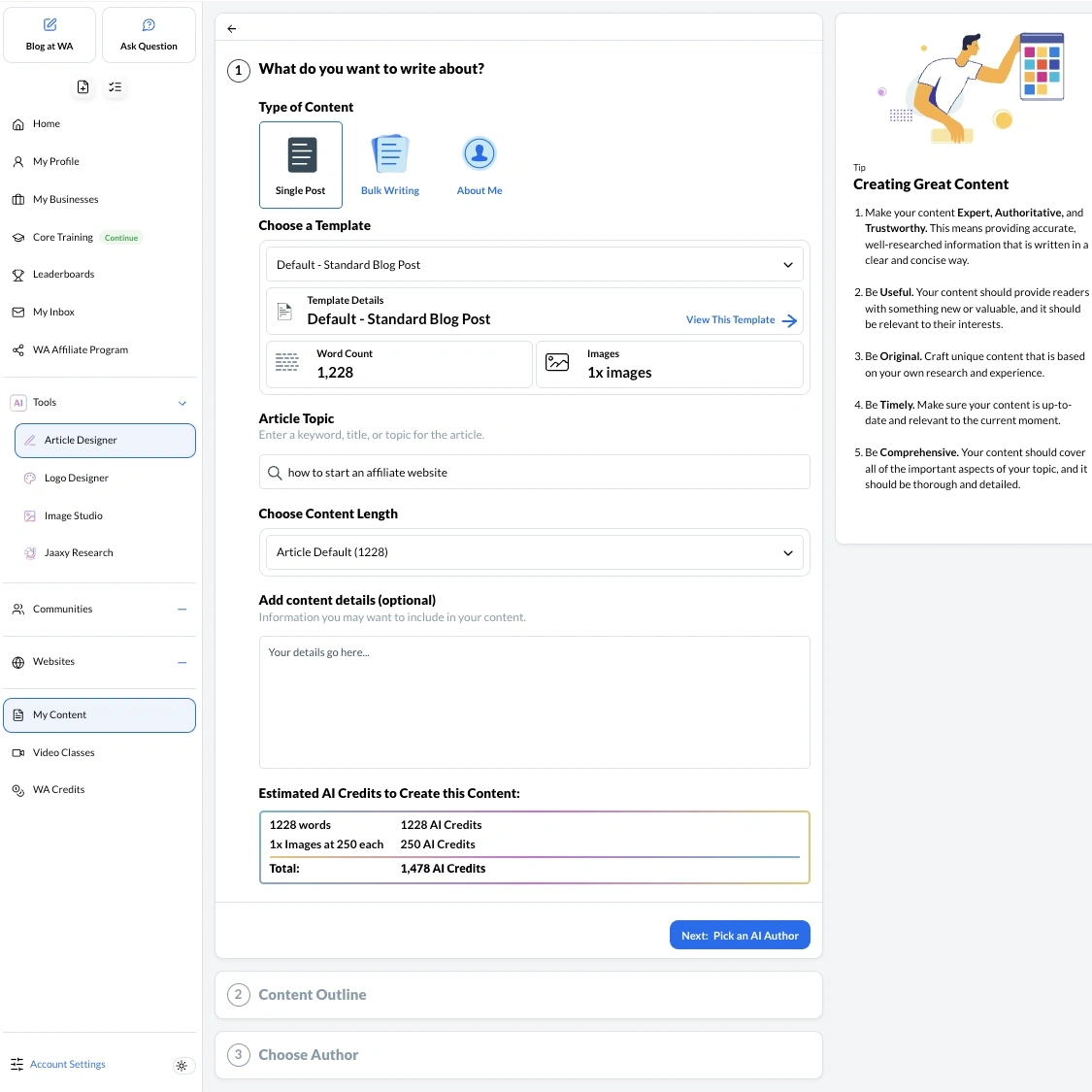
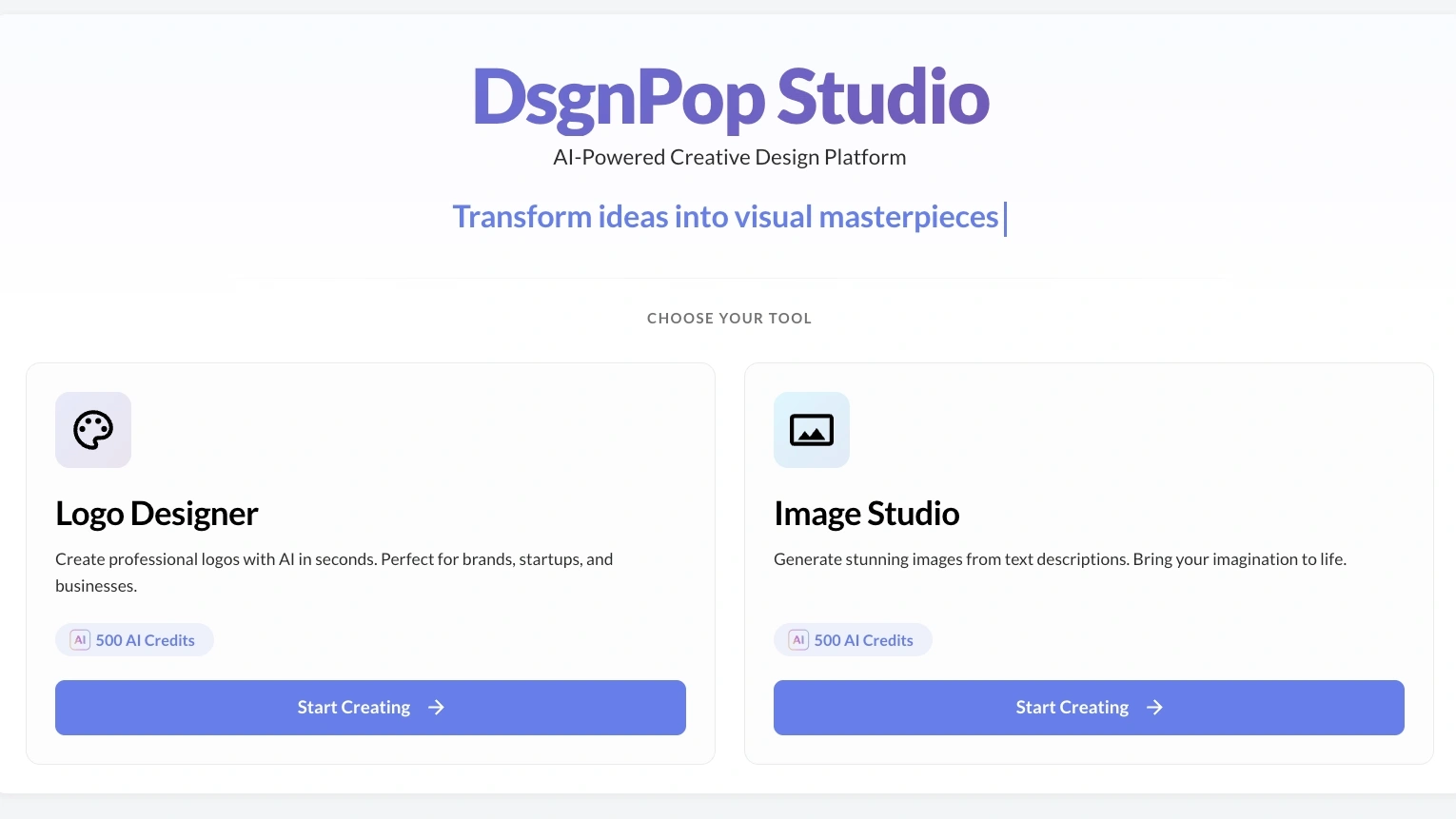
ImageStudio and DsgnPop sit alongside the editor for visuals. ImageStudio generates custom graphics from prompts, and DsgnPop handles logos and design assets. The point isn’t that the visuals are world-class. The point is that you stop bouncing between Canva, an AI image generator, and a stock photo site every time you need a featured image. Friction removed equals posts published.
Here is where I have to be blunt. AI drafts are a starting point. They are not publication-ready. Without your voice, your specific audience knowledge, and your real experience layered in, the output is generic, and generic content does not rank in the current search environment.
If you only have five hours a week to build your business, expect to spend all five of those hours heavily rewriting, fact-checking, and injecting personal insight into a single AI-generated draft. The AI saves you the first two hours of outlining and structural formatting, but the final polish that actually ranks in Google still requires your dedicated evening.
The Federal Trade Commission has been increasingly explicit about disclosure expectations for AI-assisted content, and Google’s own Search Central guidance on helpful, reliable, people-first content sets the bar clearly: thin AI content is a liability, not a strategy. Use the AI Article Designer to break the blank page. Then edit like a human who actually knows the topic.
The Truth About The Training And Community Support
The training is structured in phases. Foundation first, then traffic, then monetization, then scaling. The foundation phase walks you through niche, site setup, and your first content cluster, and it’s genuinely usable for someone who has never published a post. The later phases get more tactical, covering email capture, conversion architecture, and scaling content output without burning out.
Weekly live classes are the strongest single lever inside the training. They cover specific tactics, current platform changes, and live Q&A with experienced creators. Recorded versions stay in the library, so you don’t have to attend live to benefit. If you only used the live classes and ignored everything else, you would still get value out of the subscription.
The community is genuinely active around the clock, which matters when you hit a technical wall at 11pm and need an answer before bed. The honest caveat is that community support cannot replace your own discipline. People who treat the forum as a substitute for daily writing time produce nothing. People who use it to unblock a specific problem and then close the tab and write make real progress.
Community engagement is no longer purely altruistic. The platform recently introduced Activity Commissions, which financially incentivize veteran members to assist beginners. By answering questions and creating internal tutorials, you earn credits that can be applied directly to your monthly subscription cost, meaning highly active users can effectively operate on the platform for free while waiting for their external sites to rank.
Transparent Pricing: What The Tiers Actually Cost
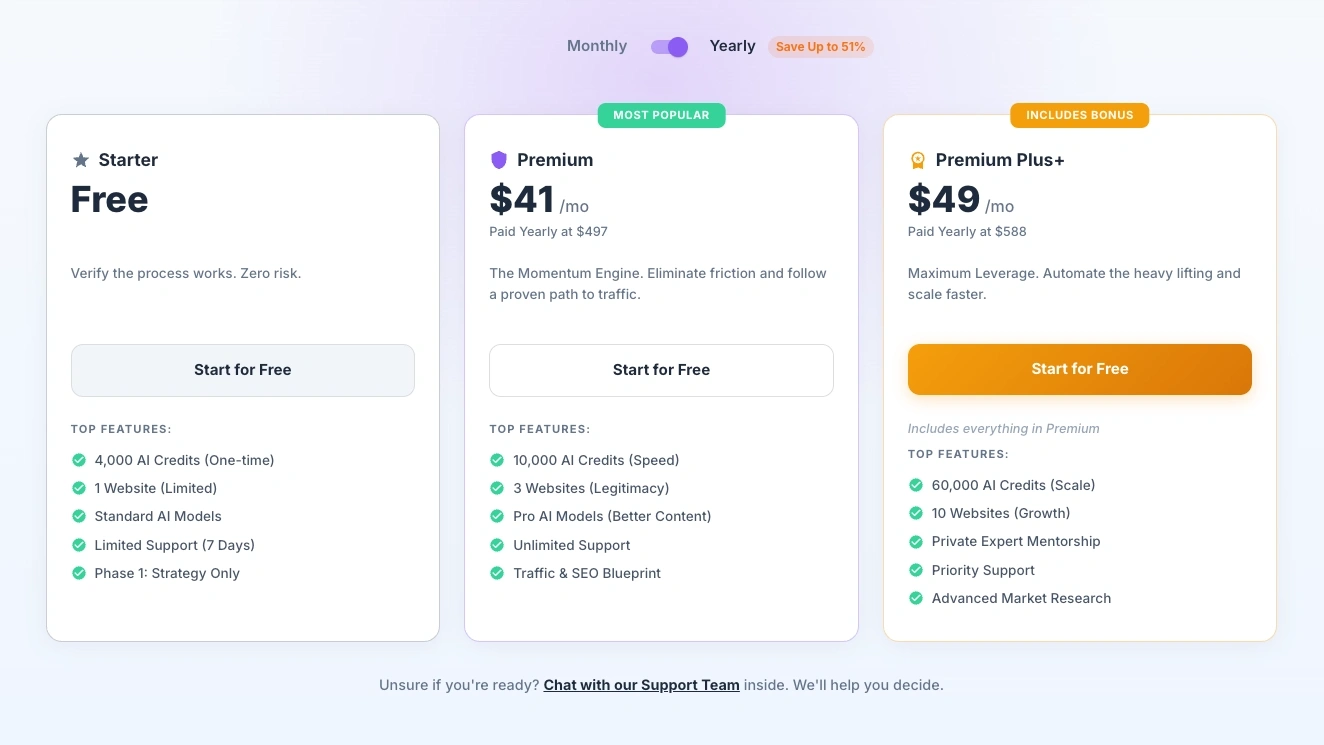
There are three tiers, and the pricing structure is one of the cleaner ones in the niche. The free Starter tier gives you the dashboard, a limited slice of the AI tools, and access to the community for evaluation. You don’t enter a credit card. The point of Starter is to let you decide whether the workflow fits your brain before you spend anything.
The Premium tier is the standard working tier for someone publishing steadily. Hosting, full AI tool access, the complete training library, and the live classes all sit inside it. For most readers landing on this page, this is the tier that maps to the actual job of running a small affiliate site.
Premium Plus+ is the scaling tier. It comes with higher AI usage limits, more hosted site slots, and expanded research tool access. Most readers will not need Premium Plus+ until they have at least one site producing real traffic and they’re committed to scaling output.
The Premium tier currently sits at $41 per month when paid yearly at $497, while the Premium Plus+ scaling tier is $49 per month when paid yearly at $588. Always verify exact figures on the official pricing page, as promotional structures and plan details can occasionally shift.
Plan
Best For
Key Limits
Main Takeaway
Starter
Testing the workflow before paying
Free, 4,000 one-time AI credits, 1 limited website, limited support for 7 days
Best for seeing whether the platform fits the way you work
Premium
Building one to three real sites consistently
$41/month when paid yearly at $497, 10,000 AI credits, 3 websites, unlimited support
Best fit for most beginners who want to publish regularly
Premium Plus +
Scaling content and managing more projects
$49/month when paid yearly at $588, 60,000 AI credits, 10 websites, priority support, and mentorship
Best for users who need more credits, more sites, and deeper support
Starter
Best For: Testing the workflow before paying
Key Limits: Free, 4,000 one-time AI credits, 1 limited website, limited support for 7 days
Main Takeaway: Best for seeing whether the platform fits the way you work
Premium
Best For: Building one to three real sites consistently
Key Limits: $41/month when paid yearly at $497, 10,000 AI credits, 3 websites, unlimited support
Main Takeaway: Best fit for most beginners who want to publish regularly
Premium Plus+
Best For: Scaling content and managing more projects
Key Limits: $49/month when paid yearly at $588, 60,000 AI credits, 10 websites, priority support, and mentorship
Main Takeaway: Best for users who need more credits, more sites, and deeper support
If you want to feel the integrated dashboard before paying anything, you can test the free Starter tier workflow with no card and no commitment.
The Objective Good, The Frustrating, And The Ugly
The platform’s biggest strength is what it removes. The mental load of stitching five tools together, the cost of five subscriptions, the small daily friction of switching contexts twenty times to publish one post, all of that goes away. For someone with five to ten hours a week, that recovered time is the entire point.
The frustrating side is real. The dashboard is dense the first week, and the learning curve for the Hubs is not zero, especially if you’ve never run any kind of content workspace before. The recurring monthly cost is also a genuine line item that has to fit your honest budget, not your hopeful budget.
The ugly truth is the one nobody selling affiliate marketing wants to lead with. Organic search growth is slow. Even with every tool consolidated and every workflow optimized, the timeline for meaningful traffic is months, not weeks, and meaningful income usually trails meaningful traffic by another stretch. The platform doesn’t change that, and anyone who tells you otherwise is selling you something.
Building Sustainable Momentum Step By Step
Set aside the pricing table and the feature comparisons for a moment. Software cannot manufacture a work ethic, but it can stop punishing the work ethic you already have. By collapsing the software stack into one workspace, the platform removes the technical friction that causes most beginners to quit somewhere around month three. What you do with that recovered time is still entirely on you.
I’ll close with the moment that grounded me permanently. My first affiliate commission was $2.12. After months of work, the email arrived, and the number was so small I had to read it twice to confirm I wasn’t misreading a decimal. What the $2.12 actually represented was proof. Proof that a stranger had read something I wrote, trusted my recommendation, and acted on it. The dollar amount was almost beside the point. Once you know the mechanism works, you stop chasing magic, and you start compounding.
If you’ve read this far, the right next step isn’t another review or another tutorial. It’s putting your hands on the workflow and seeing whether your brain clicks with it. You can create a free Starter account to evaluate the platform today, build your first asset inside the unified dashboard, and decide for yourself whether the consolidated approach fits the way you actually want to work.
If you’ve already tested the platform or you’re still figuring out whether it fits your schedule, drop your questions or experience in the comments below.

Sonia Zannoni
Hi, I’m Sonia Zannoni, creator of Click to Prosper. I share practical tools, workflows, and honest guidance to help you build an online business with more clarity and less chaos.
About Sonia
Feeling stuck between too many tools and too much advice? Start with the beginner path.
View the Blueprint