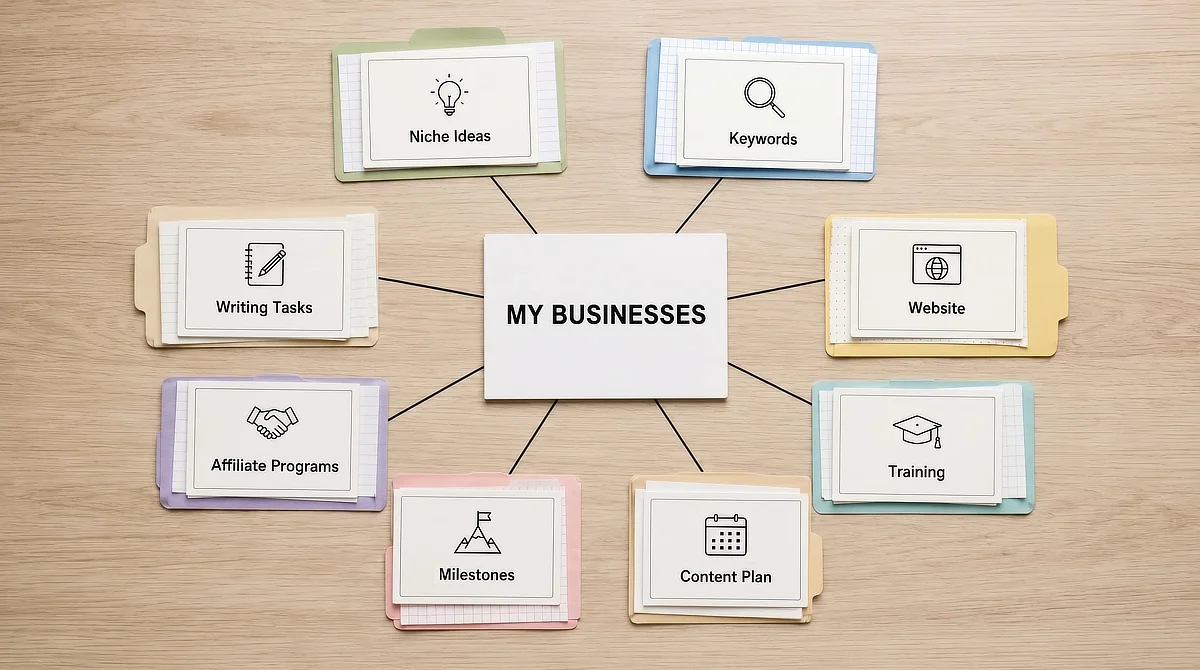
Wealthy Affiliate My Businesses: From Scattered Tools to a Single Operations Center

Organization is one of those things solopreneurs plan to fix later. Right now, there are content ideas to chase, a WordPress dashboard to configure, and a keyword list that keeps growing. The Wealthy Affiliate My Businesses workspace was designed for exactly this phase of building, and most people underuse it because they treat it as a dashboard rather than an operations center.
The symptoms are familiar. Post ideas are scattered across notebooks nobody opens. Research sits in a spreadsheet that went stale two weeks ago. Hosting credentials are buried in a password manager three tabs away from your active screen.
By the time you locate everything you need to actually write, the productive part of your session is already half over.
This guide walks through My Businesses as a genuine operational system, not a set of disconnected platform features. You will get a step-by-step initialization sequence, a daily execution workflow that connects keyword research directly to your writing queue, and a realistic comparison of the unified workspace against a fragmented tool stack.
TL;DR: Wealthy Affiliate My Businesses
The Solopreneur Drag: Why Scattered Tools Kill Niche Sites Before They Launch
Context switching has a cost that is easy to underestimate until it has already eaten your working session. Jumping between a keyword tracker, hosting panel, task manager, and a writing document forces you to reload your mental context every few minutes. Each switch is brief, but the constant interruption compounds.
By the third tool change, you are no longer in a creative mindset. You are in an administrative state, and those two modes do not share the same fuel.
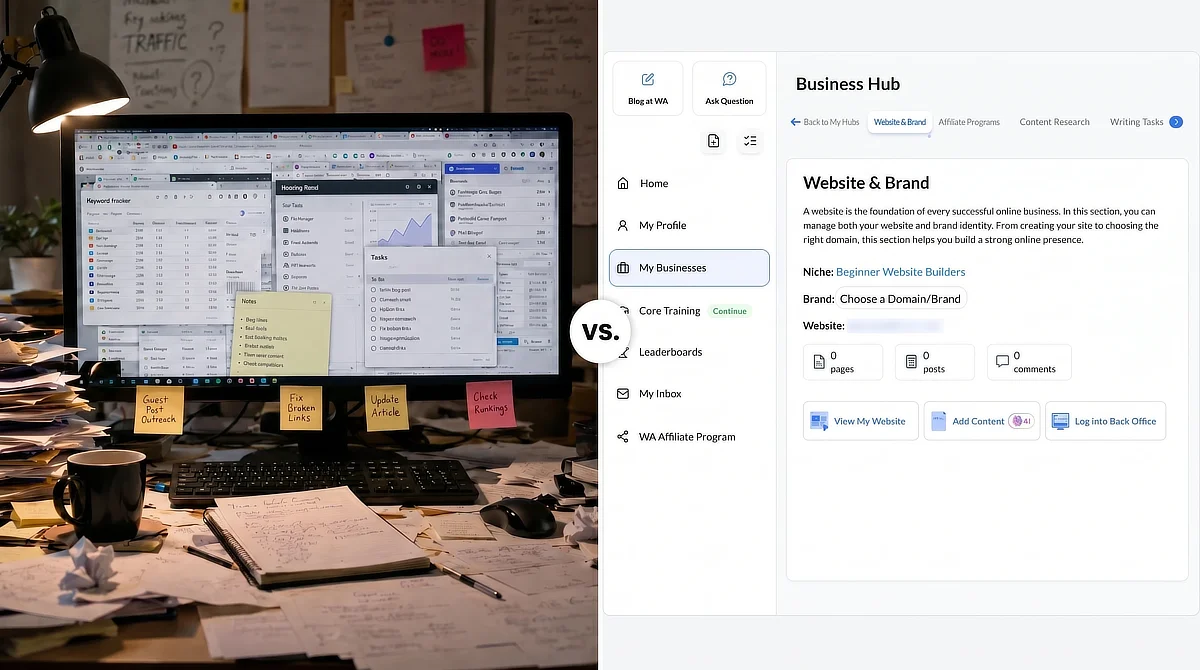
This is why most niche site projects stall before they have ever really launched. The problem is not ambition, available skills, or even the hours available to work. The problem is that the solopreneur has to function as the manual connector between tools that were never designed to communicate with each other. Every session opens with an assembly process before any actual publishing work can begin.
The Wealthy Affiliate platform addressed this directly when it rebuilt the original Business Hubs layout into the current My Businesses workspace. Business Hubs grouped basic site metrics and management functions, but it still left content planning, keyword research, and monetization tracking in disconnected areas of the platform. My Businesses consolidates those functions into a single left-aligned navigation panel, so the complete operational picture for a niche project lives in one place. That architectural shift sounds modest until you notice how much of your working time was going to the commute between tools rather than the work itself.
If you want fuller context on how the broader platform handles the affiliate marketing learning curve beyond workspace organization, our detailed Wealthy Affiliate review covers the full structure, pricing, and training quality in detail.
The Dashboard Blueprint: De-cluttering Your Workspace in the My Businesses Cockpit
The core design decision behind My Businesses is consolidation without complexity. The left-aligned navigation panel groups the six functions a niche site operator needs to run a publishing workflow, organized so each stage flows logically into the next.
Niche research informs site creation, which then enables content planning. That planning connects directly to monetization. The architecture imposes a workflow discipline that a scattered tool stack cannot replicate.
The table below maps each of the six primary workspace panels to the specific operational problem it was built to solve.
Workspace Interface Module
Core System Integration
Structural Problem Resolved
Creator Workflow Application
Business Overview Dashboard
Site health metrics, traffic snapshots, active task progress
No single view to assess business status at the start of a session
Opens the working session with a current-state read before any decisions are made
Business Idea Finder
Natural-language niche validator, opportunity scoring, competitive signals
Technical anxiety and guesswork around niche viability research
Validates search potential and audience demand before committing weeks to a direction
Websites (Site Manager)
Managed WordPress hosting, one-click site access, plugin and theme management
Separate hosting logins, server credentials, and control panel overhead
Accesses and edits the live site without leaving the My Businesses workspace
Writing Tasks and Content Planner
Jaaxy keyword ingestion, writing queue, publishing calendar, task status tracking
Post ideas scattered across notebooks, spreadsheets, and browser bookmarks
Converts keyword research into active, trackable writing assignments in one step
Affiliate Program Finder
Commission database, brand partner research, product spec lookup
Hours spent manually searching affiliate networks for relevant program matches
Sources monetization options in parallel with content planning, not as a separate project
Training and Milestones
Structured lesson library, milestone timeline, progress tracker
Training modules disconnected from the active stage of business development
Aligns current lesson content with the tasks inside the live content plan
Business Overview Dashboard
Core System Integration: Site health metrics, traffic snapshots, active task progress
Structural Problem Resolved: No single view to assess business status at the start of a session
Creator Workflow Application: Opens the working session with a current-state read before any decisions are made
Business Idea Finder
Core System Integration: Natural-language niche validator, opportunity scoring, competitive signals
Structural Problem Resolved: Technical anxiety and guesswork around niche viability research
Creator Workflow Application: Validates search potential and audience demand before committing weeks to a direction
Websites (Site Manager)
Core System Integration: Managed WordPress hosting, one-click site access, plugin and theme management
Structural Problem Resolved: Separate hosting logins, server credentials, and control panel overhead
Creator Workflow Application: Accesses and edits the live site without leaving the My Businesses workspace
Writing Tasks and Content Planner
Core System Integration: Jaaxy keyword ingestion, writing queue, publishing calendar, task status tracking
Structural Problem Resolved: Post ideas scattered across notebooks, spreadsheets, and browser bookmarks
Creator Workflow Application: Converts keyword research into active, trackable writing assignments in one step
Affiliate Program Finder
Core System Integration: Commission database, brand partner research, product spec lookup
Structural Problem Resolved: Hours spent manually searching affiliate networks for relevant program matches
Creator Workflow Application: Sources monetization options in parallel with content planning, not as a separate project
Training and Milestones
Core System Integration: Structured lesson library, milestone timeline, progress tracker
Structural Problem Resolved: Training modules disconnected from the active stage of business development
Creator Workflow Application: Aligns current lesson content with the tasks inside the live content plan
What this structure does practically is reduce the number of decisions required before you can work. The session starts with the overview panel. If something needs attention, the relevant module is one click away.
If the queue is current from the last research session, the writing tasks panel is already populated. The working time goes to writing, not logistics.
The Initialization Phase: Setting Up Your Niche Project Without Technical Friction
Starting a new project inside My Businesses follows a six-step wizard sequence. The design intent here is worth naming clearly: every step that would normally require a separate tool, a separate login, or a separate decision has been absorbed into one linear process. You do not set up hosting, then go somewhere else to research your niche, then go somewhere else to plan content. All of it runs in order inside the same interface.
Here is the sequence:
- Choose your niche path. Select between “Custom Passion” (a topic you define based on your own expertise) or “Bootcamp” (the structured affiliate training track). First-time builders benefit from being highly specific here. A broad topic area produces an unfocused site that struggles to build topical authority, while a narrow sub-niche produces a content cluster search engines can easily categorize.
- Enter your topic terms into the Business Idea Finder. This tool accepts natural-language descriptions of audience problems, not just keyword strings. Type something like “seniors dealing with joint pain after exercise” and the Finder returns opportunity scores and related search angles. This step replaces the guesswork that typically makes niche selection stressful. For a broader framework on niche selection criteria, our guide on how to make money within the affiliate marketing niche covers this in full.
- Evaluate the opportunity scores. The Finder scores each niche angle for search potential and competitive difficulty. You want real audience demand paired with a competition level that a new site can realistically enter. While high search volume against established domains is a trap, moderate volume against lower competition produces real first-page results.
- Run the site builder. Once you confirm a niche direction, the builder provisions a fully managed WordPress site on Wealthy Affiliate’s hosting infrastructure. The setup is automatic: no server configuration, no FTP credentials (the protocols used to transfer files to a server), and no database management (handling the behind-the-scenes storage systems where your posts live). WordPress underpins a significant share of the web’s published sites, including many high-profile examples you can browse in the official WordPress showcase, which is why the platform built its managed hosting infrastructure around it rather than a proprietary CMS.
- Select a layout. The builder presents theme options appropriate for affiliate content sites. Choose a clean, readable layout that loads fast on mobile devices. This is not a permanent commitment, as themes can be swapped later without losing content, but starting with a solid structural foundation avoids weeks of technical adjustment. For a useful reference on how these systems work, the official WordPress Learn resources cover the fundamentals clearly.
- Open the core lessons. The Milestones panel loads the first training module relevant to your project type. Run through the initial lessons in the same session you complete the setup, while the initialization context is still fresh. The connection between what you just built and what the lesson covers will be clearest right now.
The full six-step sequence takes most beginners between fifteen and thirty minutes for a first project. If you want to work through it in real time, you can open a free Wealthy Affiliate Starter account and run the initialization steps alongside this guide.
The Daily Execution Engine: Turning Raw Research into Live Content
The gap between “I have a list of keywords” and “I have a draft in progress” is where most solopreneurs stall. The research session ends, the keywords go into a spreadsheet or a saved browser tab, and then three days later the writing session starts with a search for the list that was never properly filed. The keyword does not become a post. It becomes a reference nobody returns to.
My Businesses closes this gap through Jaaxy integration. When the keyword research panel returns results, there is a direct mechanism to push selected keywords into the Writing Tasks queue as active content assignments. The transfer is the assignment.
You do not need to copy and paste keywords into an external task manager. The selection becomes a queued task with a trackable status the moment you add it.
The keyword clustering structure inside the tool organizes research into three content angles: Questions (what is, how does, can beginners), Pain Points (struggling with, stopped by, frustrated by), and Niche Research (best, review, comparison, versus). Working through all three angles for a sub-niche before starting production gives you a topically coherent content cluster. The posts build on each other and establish topical authority rather than existing as isolated articles that compete independently for unrelated terms.
The Milestones Timeline adds a progress dimension to the daily routine that most external task managers cannot replicate. When work is tracked in a separate spreadsheet, there is no visual connection between daily output and where the site actually stands in its development arc. The milestone tracker maps publishing progress against the site’s growth stages, which keeps the daily writing session oriented toward the larger goal rather than feeling like an indefinite series of individual tasks.
The operational rhythm I find works best at three scales: daily sessions focus on active writing tasks from the queue. Weekly sessions add new keyword research and update the content calendar. Monthly sessions audit milestone progress, assess which content clusters need more posts, and review any affiliate program data coming in from the Finder.
Drafting Mechanics: Accelerating Content Creation with a Human-in-the-Loop Filter
The My Businesses workspace includes an AI Article Designer that generates a structural draft from a target keyword. It offers context input fields and author persona selection before running, which gives the output more directional relevance than a completely open-ended generation prompt.
What I recommend using it for is structure. A well-configured AI draft gives you a working outline with logical section breaks, a rough heading hierarchy, and placeholder content you can replace with your own analysis. That solves the blank-page problem that tends to consume the first fifteen minutes of a writing session and leaves people feeling like they have nothing to show for it.
What it will not do is produce publishable content without significant editing. Generic AI output, even when keyword-targeted, does not perform well in competitive niches. The structural markers are all present, but the analytical weight is missing.
Search engines have become highly accurate at distinguishing between content that merely contains the right words and articles written by someone who actually understands the topic.
The editing pass is where the ranking potential gets built. That means replacing generic section conclusions with specific analytical observations. It means cutting the padded connective tissue AI drafts tend to accumulate and replacing it with tighter, more direct language that a real person would actually say out loud. It means adding original images, formatting choices that match your audience’s reading patterns, and at least one workflow-specific observation per major section that could only come from someone running this type of site.
The practical framework: AI output is a ten-minute head start on structure. The draft that goes live is the one you built from that starting point, not the one the tool generated.
Strategic Monetization: Sourcing and Mapping Affiliate Products to Reader Problems
Affiliate monetization works when the recommended product is the logical answer to the specific problem the reader came to solve. It does not work when the product exists in the post but is not structurally connected to the reader’s search intent. That distinction shows up in conversion data more clearly than almost any other variable you could test.
The My Businesses workspace puts the Affiliate Program Finder alongside the content planning tools rather than treating monetization research as a separate project. The sequence here is critical.
Identify the reader’s problem first, then use the Finder to source products that directly address it. Build your content around that problem-to-solution path, placing the product as the logical endpoint of that journey.
Here is how that looks in practice. Keyword research in the senior fitness niche surfaces a query about joint pain relief for home exercise. The content angle is clear, the search intent is specific, and the audience’s constraint is easy to understand.
From that starting point, the Affiliate Program Finder returns options like streaming fitness programs or low-impact digital exercise guides. The product you recommend should be the one verified to have actually solved the specific problem for people with similar mobility constraints.
The result is not a product review with joint pain used as a framing device. It is a guide for someone with joint pain that recommends a product because the product genuinely solves what the guide addresses. That is a structural distinction with real conversion implications, not a subtle copywriting nuance.
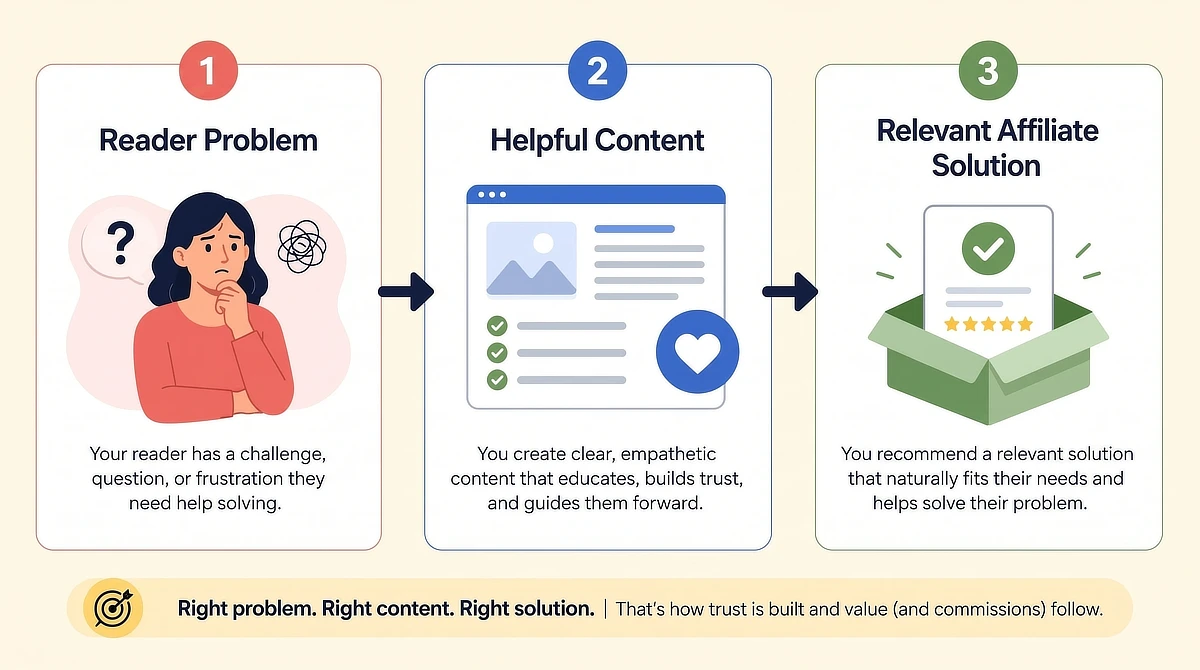
The Affiliate Program Finder removes the manual network search step that typically stalls monetization planning. When that search step is integrated into the same workspace as the content planner, monetization strategy, and content strategy develop in parallel rather than sequentially. The product-to-problem fit is tighter from the start because the research was never separated from the audience analysis that produced it.
The Solopreneur Audit: Wealthy Affiliate Workspace Versus a Fragmented Tool Stack
Every beginner building a niche site eventually runs into the same financial architecture question: one integrated platform at a fixed cost, or a specialized stack assembled from the best individual tools?
The honest answer depends on where you are in the build. For most beginners running a first niche site around a constrained schedule, the integration argument is strong. A stack of Ahrefs for keyword research, a separate WordPress hosting account, Trello for task management, and Jasper for AI drafting can reach several hundred dollars a month in combined subscriptions. None of those tools communicates with each other, and the solopreneur becomes the connector, which means the administrative overhead that the unified workspace was designed to eliminate stays fully intact.
The table below compares both approaches across the dimensions that matter most for someone managing a niche project without a full-time schedule to dedicate to it.
Strategic Dimension
My Businesses Workspace (WA Unified Stack)
Fragmented Specialized Stack (Ahrefs + WordPress + Trello + Jasper)
Operational Implication for Beginners
Workflow Friction
Single login, left-panel navigation, integrated task flow
Multiple logins, manual data transfer between tools, no shared workflow
Reduces pre-session setup overhead from thirty minutes or more to under five
Financial Cost
Single monthly or annual fee, free Starter tier available
$200 or more per month for comparable individual tools at entry-level tiers
Lowers the cost barrier significantly for first-year builders watching their budget
Keyword Tool Sophistication
Jaaxy: solid for low-competition long-tail and niche research
Ahrefs: significantly more granular competitive analysis and backlink data
Jaaxy is sufficient for beginners targeting long-tail terms; advanced creators may outgrow it
Website Hosting
Managed WordPress hosting included, no server configuration required
Requires a separate hosting account with independent setup and ongoing maintenance
Eliminates the most technically intimidating setup step for non-developers
Content Velocity
AI Article Designer plus direct keyword-to-task queue transfer keeps production organized
Requires manually bridging research, task management, and drafting tools each session
Reduces the friction between research session and active writing assignment
Continuous Learning
Structured lessons integrated with active business milestones and task timeline
External courses and documentation with no operational connection to daily tasks
Keeps training aligned with the current production phase rather than abstractly ahead of it
Workflow Friction
My Businesses Workspace (WA Unified Stack): Single login, left-panel navigation, integrated task flow
Fragmented Specialized Stack (Ahrefs + WordPress + Trello + Jasper): Multiple logins, manual data transfer between tools, no shared workflow
Operational Implication for Beginners: Reduces pre-session setup overhead from thirty minutes or more to under five
Financial Cost
My Businesses Workspace (WA Unified Stack): Single monthly or annual fee, free Starter tier available
Fragmented Specialized Stack (Ahrefs + WordPress + Trello + Jasper): $200 or more per month for comparable individual tools at entry-level tiers
Operational Implication for Beginners: Lowers the cost barrier significantly for first-year builders watching their budget
Keyword Tool Sophistication
My Businesses Workspace (WA Unified Stack): Jaaxy: solid for low-competition long-tail and niche research
Fragmented Specialized Stack (Ahrefs + WordPress + Trello + Jasper): Ahrefs: significantly more granular competitive analysis and backlink data
Operational Implication for Beginners: Jaaxy is sufficient for beginners targeting long-tail terms; advanced creators may outgrow it
Website Hosting
My Businesses Workspace (WA Unified Stack): Managed WordPress hosting included, no server configuration required
Fragmented Specialized Stack (Ahrefs + WordPress + Trello + Jasper): Requires a separate hosting account with independent setup and ongoing maintenance
Operational Implication for Beginners: Eliminates the most technically intimidating setup step for non-developers
Content Velocity
My Businesses Workspace (WA Unified Stack): AI Article Designer plus direct keyword-to-task queue transfer keeps production organized
Fragmented Specialized Stack (Ahrefs + WordPress + Trello + Jasper): Requires manually bridging research, task management, and drafting tools each session
Operational Implication for Beginners: Reduces the friction between research session and active writing assignment
Continuous Learning
My Businesses Workspace (WA Unified Stack): Structured lessons integrated with active business milestones and task timeline
Fragmented Specialized Stack (Ahrefs + WordPress + Trello + Jasper): External courses and documentation with no operational connection to daily tasks
Operational Implication for Beginners: Keeps training aligned with the current production phase rather than abstractly ahead of it
One additional practical dimension: My Businesses includes a gamified points and credits system that rewards active community participation. Credits earned through engagement can offset subscription costs over time, which has a real financial impact for first-year builders managing a tight monthly budget.
However, if you are still in your first year and watching every dollar of your budget, do not let these gamified rewards pull you away from your primary goal. While saving money on your subscription is helpful, your most valuable long-term asset is your published content. Avoid the trap of prioritizing community chat and platform participation over writing. Building your niche site must always remain your primary focus.
For creators who have outgrown Jaaxy’s depth or who want fully custom hosting infrastructure, the case for a specialized stack gets stronger as the site scales. But for the target audience of this guide, someone launching a first niche project around a constrained schedule, the unified workspace removes more operational obstacles than it introduces.
Building a niche site with scattered tools is not just inefficient. It is a momentum problem. The administrative overhead compounds session by session until the creative work gets squeezed out entirely. That is the pattern My Businesses was designed to interrupt.
Set up the initialization sequence. Build the keyword queue. Run the planning cycle consistently. Keep the Milestones Timeline accurate so you always know where the site stands.
The structural work is not the exciting part of this. But it is what makes the creative work possible on a consistent basis, not just on the rare session when everything happens to align.
Your Next Step: Building a Frictionless Workspace
If you have questions about choosing your sub-niche, mapping your keywords, or keeping your daily writing workflow organized, leave them in the comments below. I read and answer everyone.

Sonia Zannoni
Hi, I’m Sonia Zannoni, creator of Click to Prosper. I share practical tools, workflows, and honest guidance to help you build an online business with more clarity and less chaos.
About Sonia
Feeling stuck between too many tools and too much advice? Start with the beginner path.
View the Blueprint